Keep the release moving
without chasing it by hand.
A project per release with checklist, schedule, budget and pages. Cue tracks owners and flags what is slipping. Your team decides what ships.
For Digital managers · Label marketing teams · Management companies
Where it starts
One date. Dozens of moving parts.
Where your team starts
A date, a list of deliverables, and several owners.
Master, artwork, metadata, splits, pitch windows, pre-save, video. Usually held together in a spreadsheet and a group chat.
What Symphony does
A project per release, with the rollout as a calendar.
A checklist with an owner and a deadline per deliverable, scheduled backward from release day. The budget, content calendar and pages live in the same project.
What your team reviews
The date, the blockers, and what goes live.
Cue flags a slipping deliverable and nudges the owner. Pages publish and dates move only when your team says so.
How your team starts it
Open the project, or brief Cue.
Projects lists every release across the roster with its status. Open one to work the checklist, or brief Cue on the date and review what he lays out.
Hands-on, in the workspace
- 01Open Projects and start a Release project.
- 02Add the deliverables, owners and deadlines.
- 03Build the pre-save in Pages once the artwork is in.
- 04Watch the budget and the blockers as the date nears.
Next time
The next release starts from the last one's shape. Tell Cue what is different.Or brief Cue

Cue
Release operations
What Symphony does
Counts back from the date. Chases what slips.
01
Lays out the rollout
Announce, pre-save, single, video, release day, planned backward from the date. Every deliverable gets an owner and a deadline, even work done outside Symphony.
02
Tracks the owners and the budget
Producer, video, mix, PR and ads, logged against the plan. The full cost of the release in one place.
03
Builds the pages
Pre-save, link in bio and release site from the artwork, with capture wired in. Published when your team approves them.
In the workspace
The screen.
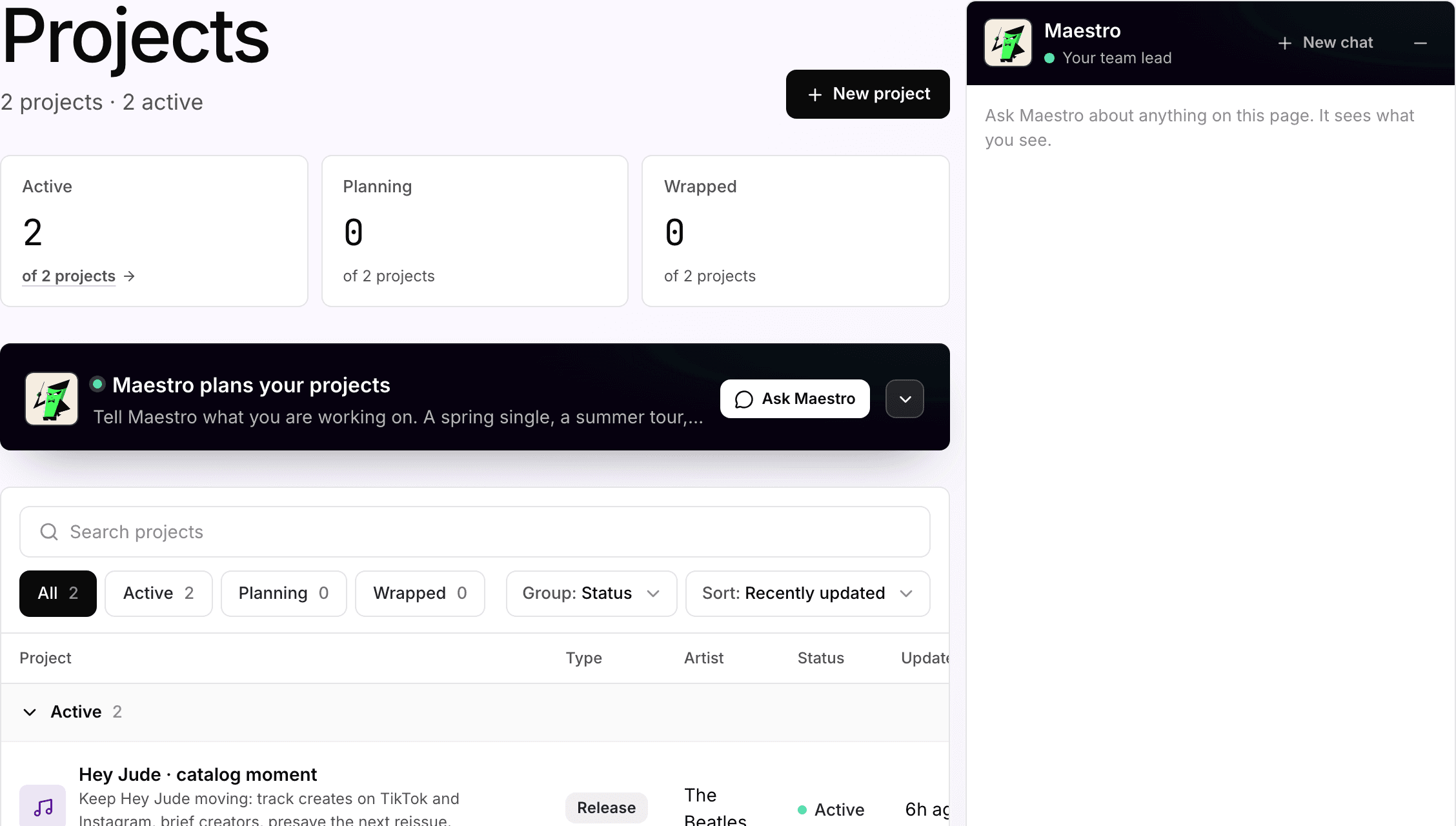
Projects
Every release across the artist roster, with its status
Two active release projects: a catalog moment for The Beatles and an anniversary push for John Lennon. Each shows its type, artist and status.
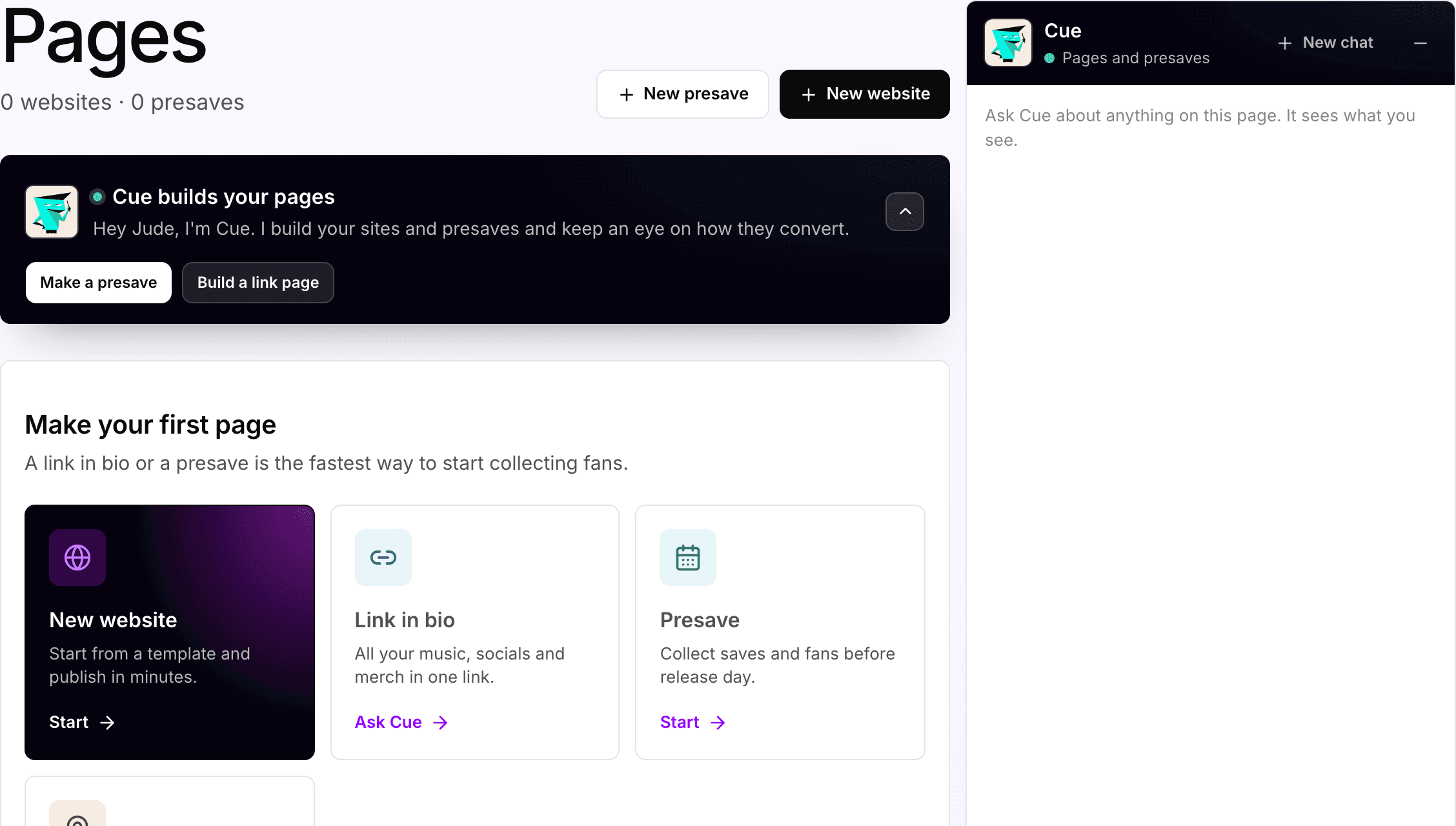
Pages
The pages the release needs, built from the artwork
Link in bio, pre-save, release site and tour page, built by Cue. Nothing goes live until someone on the team publishes it.
What your team gets back
A release the whole team can open.
One project per release with the checklist, schedule, budget, pages and blockers. Cue files a short recap each morning so nobody has to ask what slipped.


AI support
Cue, release operations.
Cue holds the checklist, the schedule and the budget, and chases the owners. Your team sets the strategy and the date.
How Cue works →Plan, and what is separate
Pro
Projects, pages and pre-saves come with the Pro plan, $49 per artist per month.
50
credits per pre-save, link page or site, flat.
Yours
Vendor costs, media spend and creator payments are your budgets. Cue logs them against the plan; Symphony does not bill them.
Your subscription covers the software. Media spend, creator payments, extra credits and managed services are separate where they apply. Compare plans.
Next step
See it with your artists.
Tell us which artists and workflows you want to start with. We’ll shape the walkthrough around them, then talk through the setup and what it would cost.