A campaign built while you're in the meeting.
Launched only when your team approves it.
Simmy builds the campaign as a draft on ad accounts you own. Your team launches it, pauses or changes it from the row, and duplicates it for the next release.
For Digital managers · Label marketing teams · Agencies and independent teams
Where it starts
Your accounts, your budget, your approval on every launch.
Where your team starts
A release or a goal, and ad accounts you already own.
Meta and TikTok connect through the official APIs, and you can revoke access any time. Spend is billed to your own accounts, so every dollar shows in your own Ads Manager.
What Symphony does
The build, the daily check, and the recommendation.
Platform, goal, audience, creative, budget and schedule in one flow. Simmy builds the draft from the artist's posts and songs, checks it daily once live, and asks before any big change.
What your team reviews
Every launch, every budget, every change above the line.
Creative on mobile, audience, destination, budget and schedule, all before launch. After launch, pause, swap creatives, edit the link or duplicate from the campaign row.
How your team starts it
Build it in the wizard, or brief Simmy.
Build it in Ads yourself, or tell Simmy the artist, goal, budget and landing page. Both paths produce the same draft, and both wait for your launch.
Hands-on, in the workspace
- 01Open Ads, start a campaign, pick a platform and a goal.
- 02Set the audience, creative, budget and schedule.
- 03Run the review checklist and launch it yourself.
- 04Pause, swap creatives or duplicate from the campaign row.
Next time
"Same setup for the next single" is a full brief. Change only what is different.Or brief Simmy

Simmy
Paid campaigns
Next release
What Symphony does
The work between draft and live.
01
Builds the audience on your account
Engaged fans, your imported list, and lookalikes of both. Built on your ad account, so they are yours to reuse.
02
Sets the ad and holds it as a draft
Creative from the artist's posts, copy drafted, targeting locked to what you set. New ads are built paused until someone approves them.
03
Paces it and reports
Simmy runs inside your daily budget and rules and files a morning recap. She alerts you the same day if spend crosses your threshold.
In the workspace
The screen.
Ads
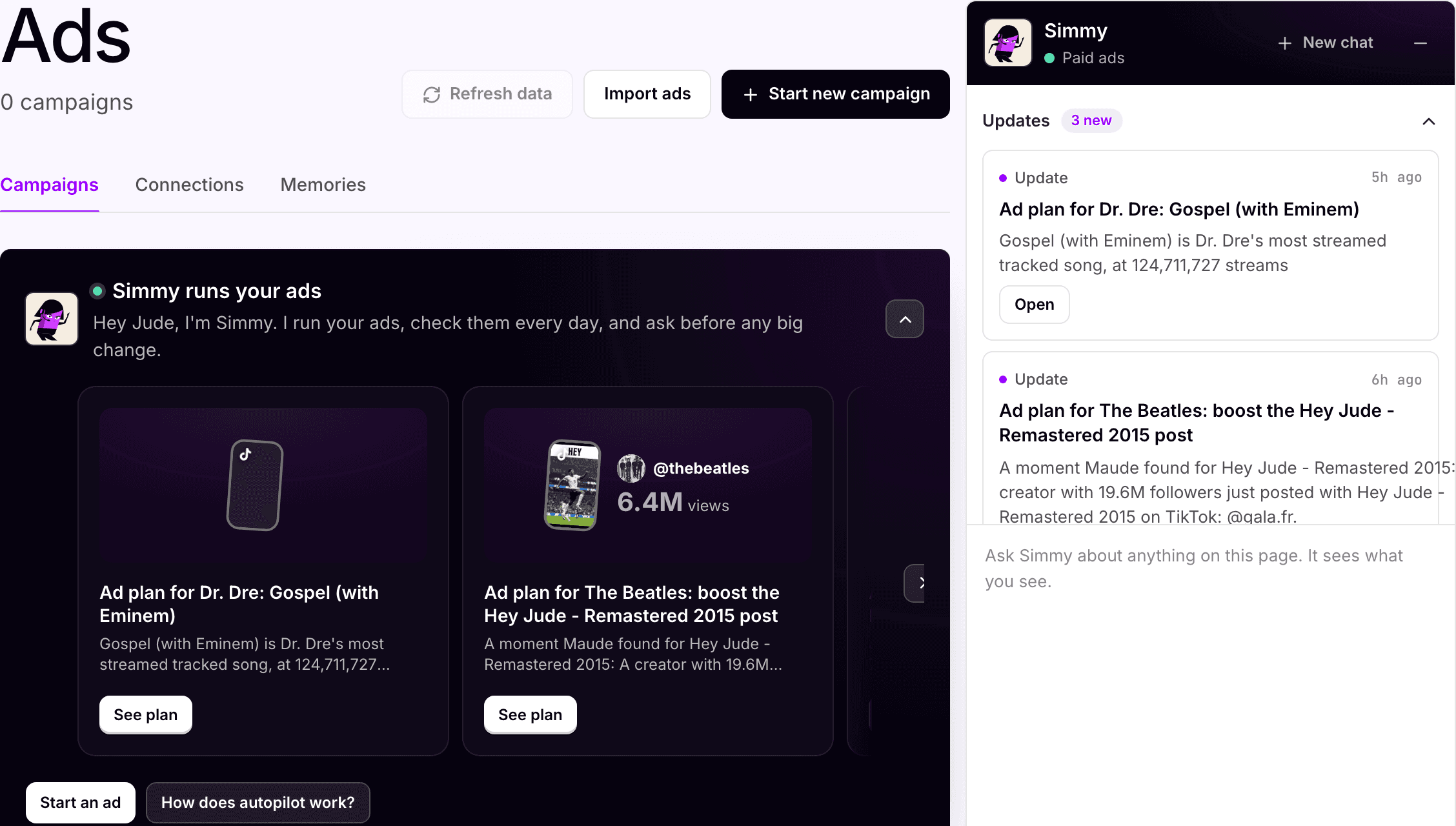
Ad plans ready. Nothing spent until the team says so
Simmy has an ad plan ready per artist, built from their posts and songs. Start from her plan, build by hand, or import campaigns already running on Meta or TikTok.
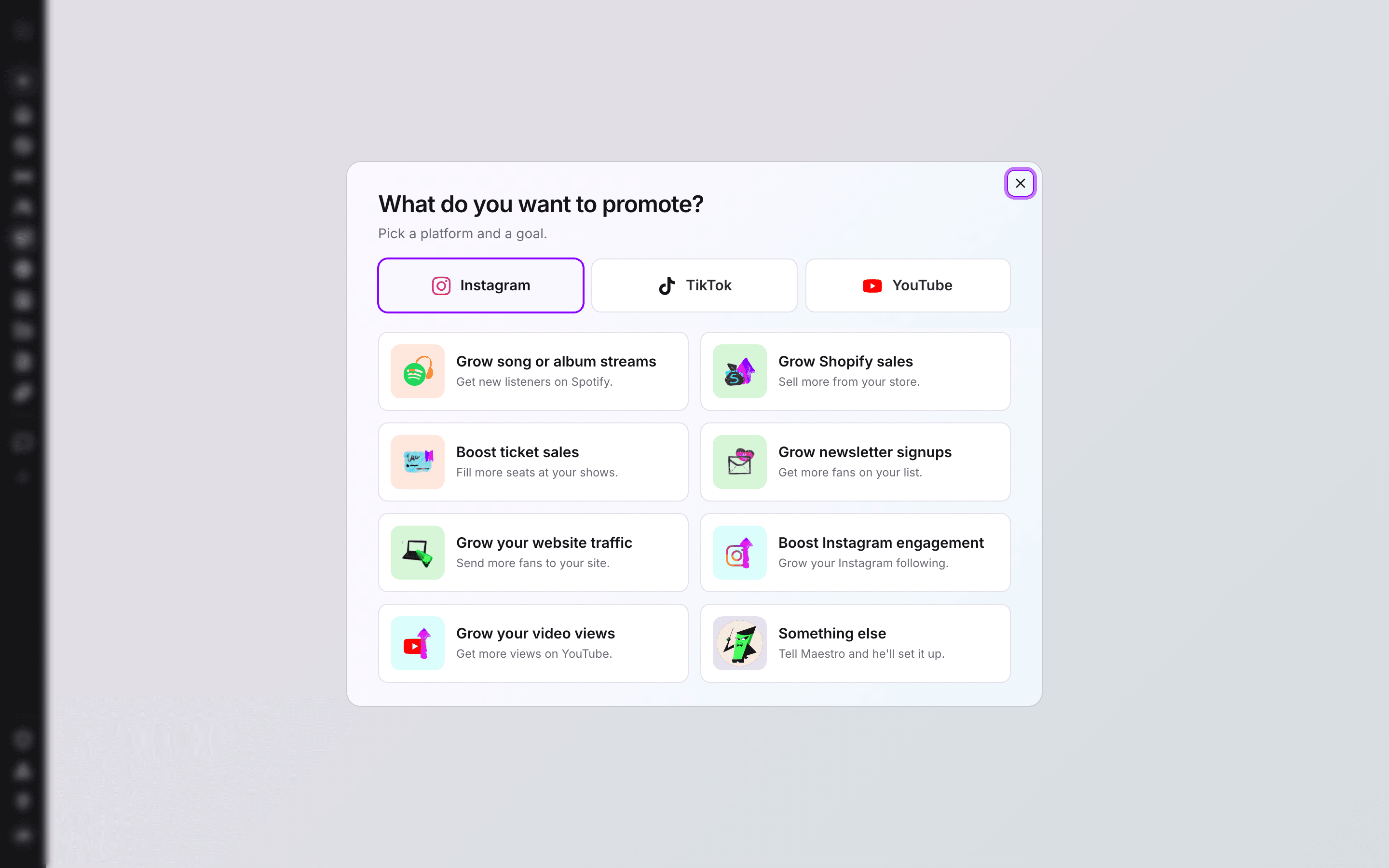
Ads · New campaign
Build a campaign as a draft
Platform and goal first, then audience, creative, budget and schedule. The same flow and the same review step whether a person or Simmy fills it in.
What your team gets back
A campaign view your team can share.
Spend, clicks, cost per result and creatives per campaign, plus which streaming service each click went to. Streaming services do not share streams back with ad platforms, so analytics stop at the click.

AI support
Simmy, paid campaigns.
Simmy builds, paces and adjusts inside the budget and approval gates your team sets, and cannot launch a campaign on her own. Run it by hand, give her the routine work, or mix the two by artist.
How Simmy works →Plan, and what is separate
Pro
Ads comes with the Pro plan, $49 per artist per month. 250 credits per artist each month, shared across the workspace. Simple conversations and drafts use a little; campaigns, pages, sends and other multi-step work use more.
50
credits, flat, when a campaign built in the Ads wizard publishes. Campaigns Simmy builds meter by usage.
Yours
Meta and TikTok media spend is billed by the platforms to accounts you own. YouTube campaigns are paid up front and cannot be paused.
Your subscription covers the software. Media spend, creator payments, extra credits and managed services are separate where they apply. Compare plans.
Next step
See it with your artists.
Tell us which artists and workflows you want to start with. We’ll shape the walkthrough around them, then talk through the setup and what it would cost.