ToneDen is shutting down. Here's how to move to Symphony.
Your ToneDen links stop working on December 1. You can have new pages live on Symphony today, ready for your bio, ads and email.
- Nov 30
- Last day to request a copy of your ToneDen data.
- Dec 1
- ToneDen closes. Smart links, pre-saves and custom-domain links stop working.
Checked against ToneDen's own help center on Nov 17, 2026.

Cue + Simmy


What moves with you
Your links, your ads and your fans.
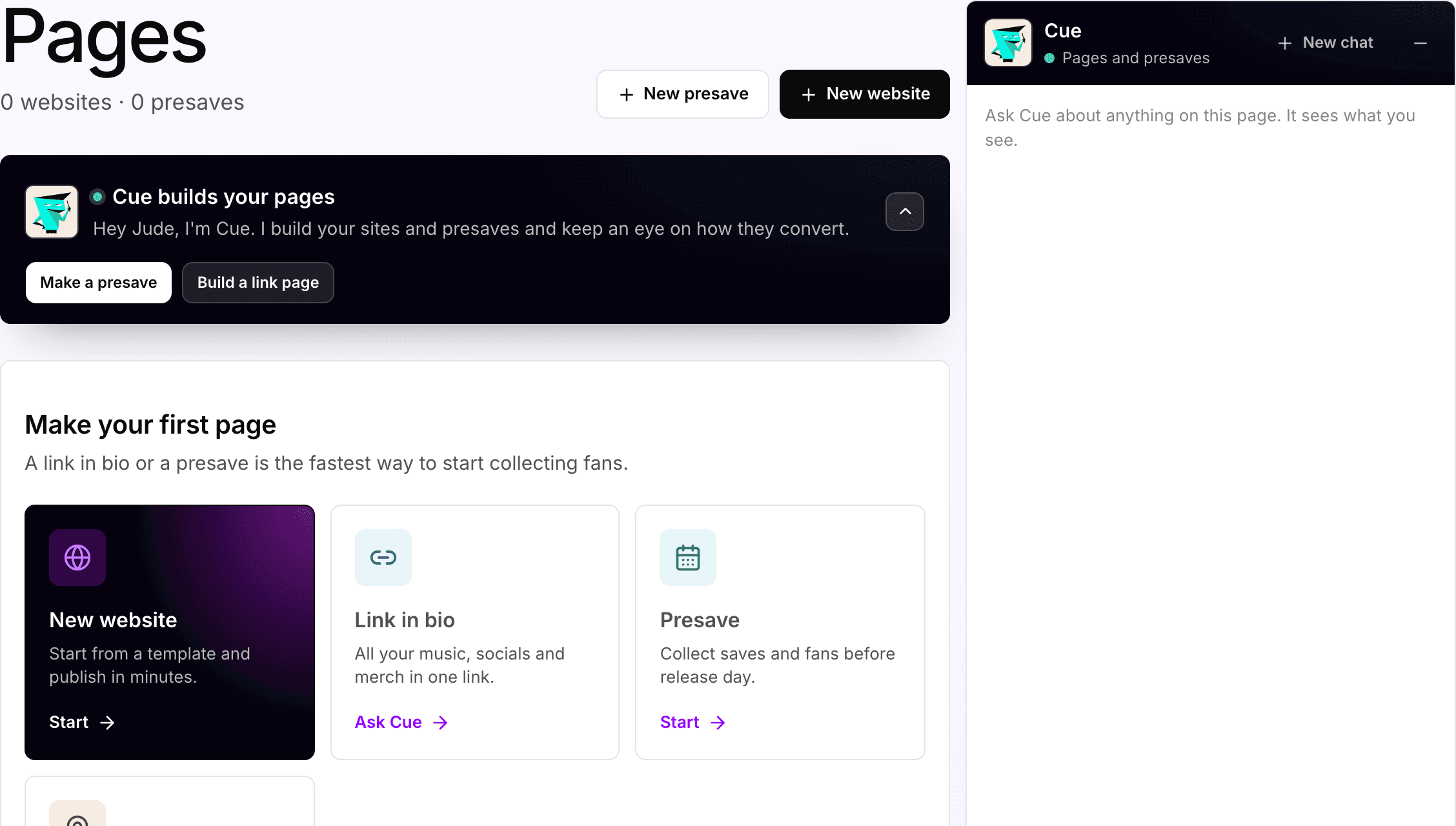
Your links and pre-saves
Paste a ToneDen link and Cue starts a draft from it. Pre-saves are rebuilt new.
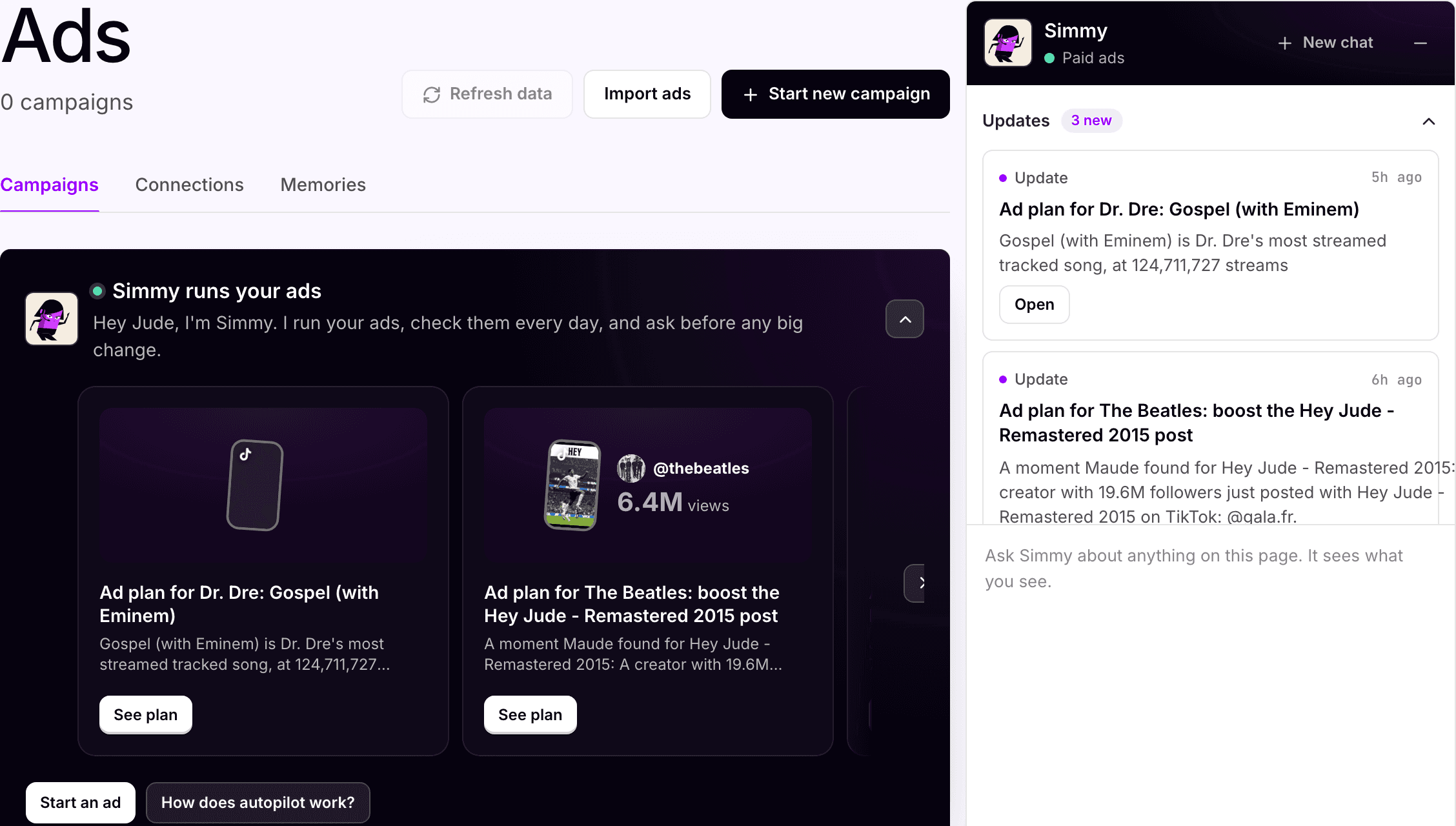
Your ads
Import the Meta and TikTok campaigns you already run, and see them in one place with Simmy.
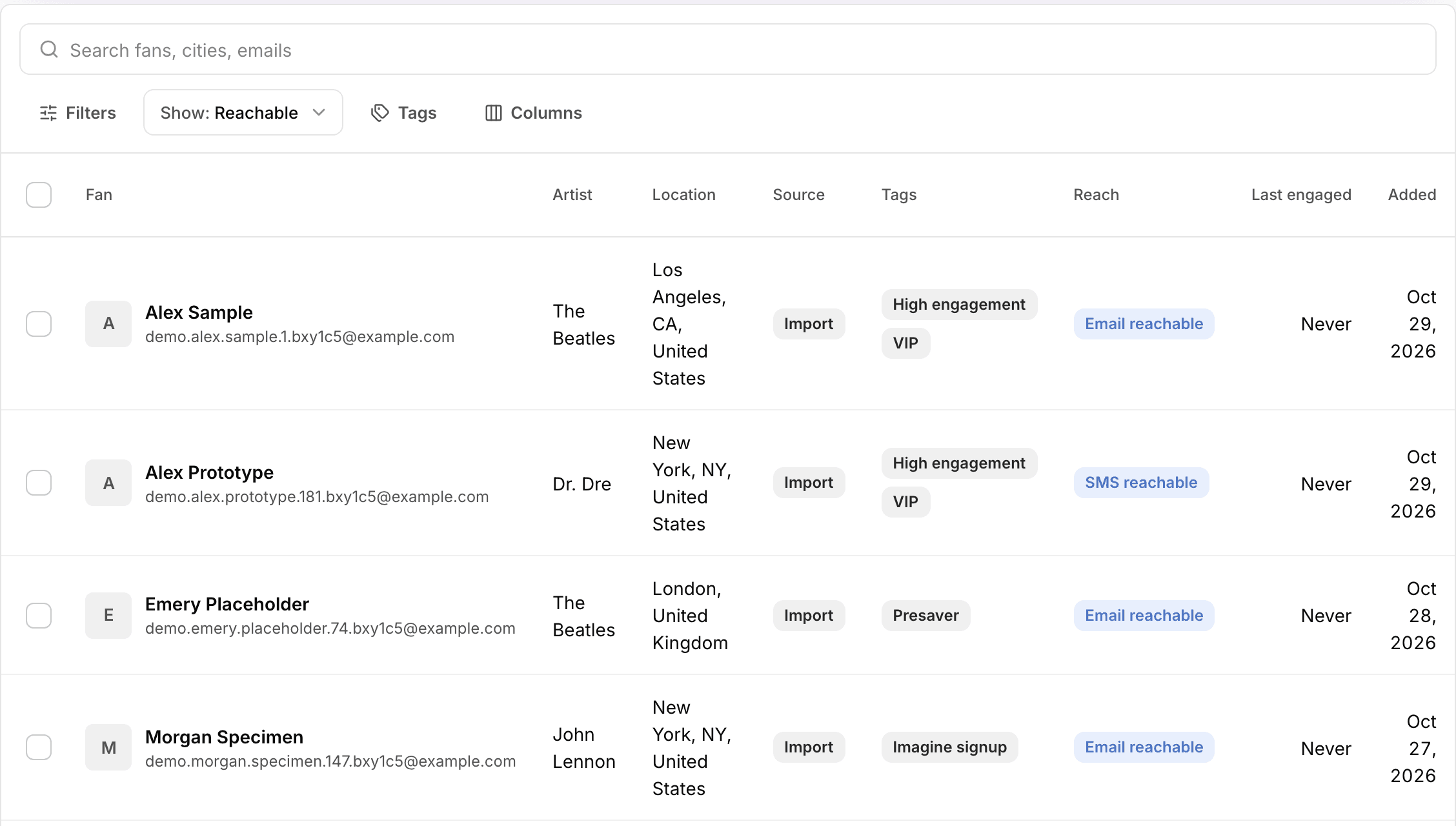
Your fans
Upload your contact list as a CSV file and keep emailing your fans from Symphony.
How to move
Step 1. Save your fan data (by Nov 30)
Request your data copy in your ToneDen account settings (Advanced Settings), using ToneDen's guide. It includes your links, campaigns and the fan contacts collected through your pages. Those contacts are yours to keep.
Step 2. Start your pages from your old links
Paste a public ToneDen link to Cue and he starts a Symphony draft from it. Check the streaming buttons and links, then publish. Do this before Dec 1, while your old links still load. Start with the ones that get the most clicks.
Step 3. Rebuild your pre-saves
Pre-saves are rebuilt as new Symphony pre-saves. Fans connect on the new page.
Step 4. Bring your ads into Symphony
If ToneDen built your ads in your own Meta account, connect Meta and choose Import ads on the Ads page. Keep them running, pause them, or point ads with a landing link at your new Symphony page. In page Settings, add your Meta pixel, TikTok pixel and GA4 ID once.
Step 5. Swap your links and bring your fans
Replace each old link in your bios, email signatures, QR codes and press kits. Then open CRM, choose Import fans, and upload your ToneDen contacts as a CSV file.
Quick answers
Do my old ToneDen links redirect after Dec 1?
No. ToneDen says every smart link, pre-save link and custom-domain link stops working on Dec 1, 2026. Replace each one before then. Start with your bio, your ads and any live pre-save.
Can I keep the same link name?
You can name your new Symphony page to match the old one, so it looks familiar. The full address will be new, because your page now lives on sym.fm. Update the link everywhere the old one was posted. If you own your domain, you can point it at your new page with your domain provider.
Can Symphony copy my ToneDen page?
Paste a public ToneDen link to Cue and he starts a draft from it. The title, social links and colors usually come over. Check your streaming buttons before you publish.
Which ToneDen links can I rebuild on Symphony?
Pre-saves, streaming pages for songs already out, link in bio pages, tour pages and event RSVP pages. Podcast links and giveaways don't have a direct match.
What happens to my pre-saves?
ToneDen pre-saves stop on Dec 1. Build a new Symphony pre-save for any upcoming release. Fans connect again on the new page.
What happens to my ads?
Ads that ToneDen built in your own Meta account keep running, and keep spending, until you pause them. Import them on the Ads page. Then pause them, or point ads with a landing link at your new Symphony page.
What about my Google ads?
Import ads covers Meta and TikTok. Google campaigns stay in Google Ads, so pause them there or change the link to your new page.
What about my pixels?
Your Meta pixel stays in your own Meta account. Add your Meta pixel, TikTok pixel and GA4 ID once in page Settings, and they apply to every page you publish.
Do I keep my fan contacts?
Yes. The contacts in your ToneDen data copy are yours. Bring them into Symphony under CRM, Import fans, as a CSV file. You confirm your fans agreed to hear from you, and nothing is sent until you say so.