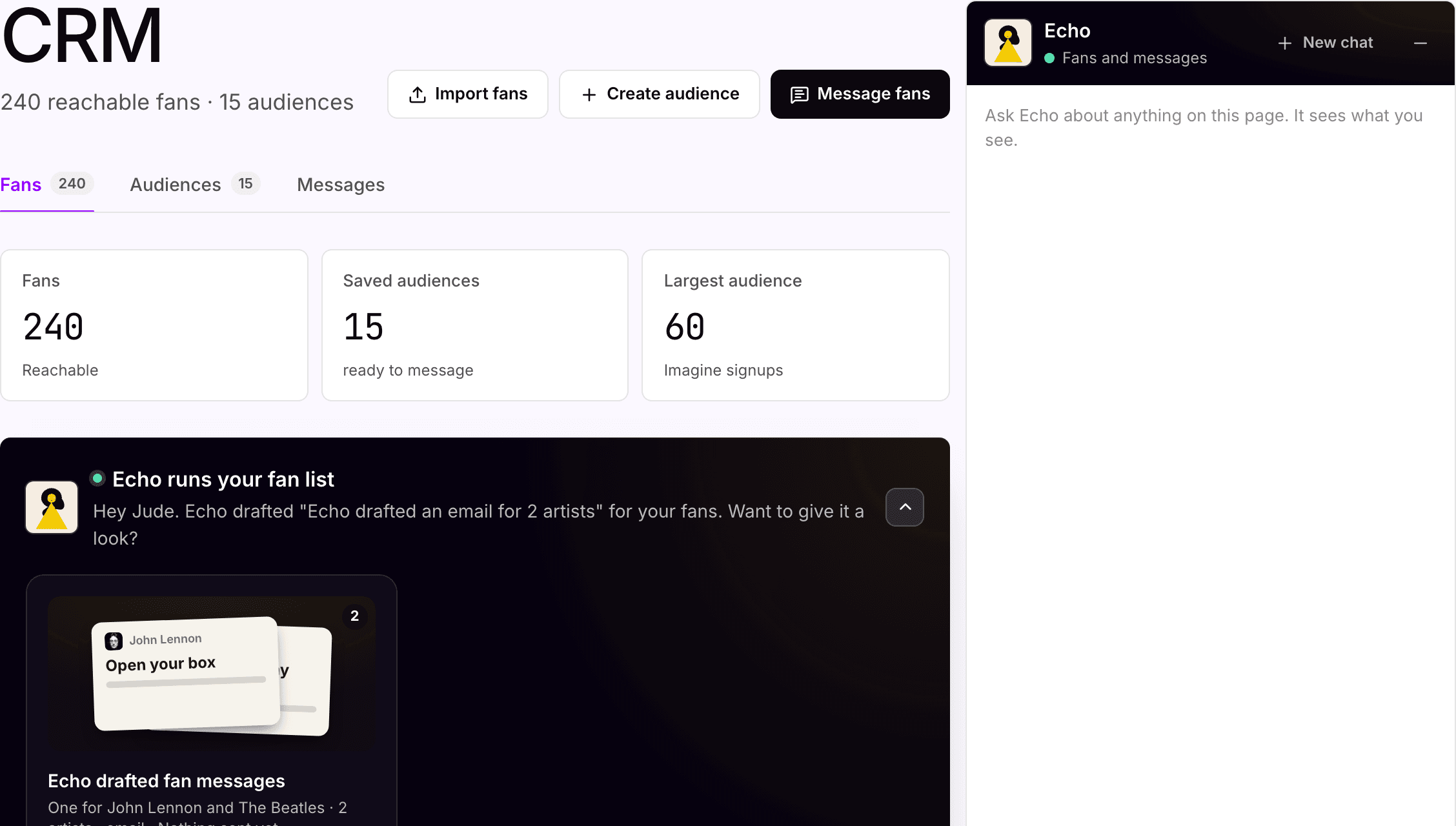
One fan list per artist, owned by you.
The release-day message drafted and waiting.
One fan CRM per workspace, filtered by artist. Echo drafts and segments; your team approves the audience and releases every email and text.
For Digital managers · Label marketing teams · Management companies
Where it starts
Fans in four places. One list your team owns.
Where your team starts
Fan lists in several places, and a release-day message to send.
A Shopify export, a Mailchimp list, Bandsintown signups, pre-save opt-ins. Different consent on each, and no single view of who heard what.
What Symphony does
One CRM per workspace, filtered by artist.
Import a CSV, capture fans from pre-saves and forms, and save audiences by artist, tag, source or city. Echo drafts the message and tracks delivery on each send.
What your team reviews
The audience, the consent, and the send.
Only fans who opted in on that channel get messaged, with opt-out language included. Your team approves the audience, tests a small segment, and signs off every send.
How your team starts it
Open CRM, or ask Echo.
Import fans or build an audience in CRM, then write the message or ask Echo for a draft. The send is yours either way.
Hands-on, in the workspace
- 01Import a CSV, or turn on capture on a pre-save or page.
- 02Build an audience by artist, tag, source or city.
- 03Draft the message, or ask Echo, and test a small segment.
- 04Schedule or send, then read delivery on the row.
Next time
Next single: same audience, new message, same approval.Or brief Echo

Echo
Fan messaging
What Symphony does
Brings the fans in. Holds the send.
01
Brings the fans in
CSV imports, capture from pre-saves and forms, and the fan sources already connected to the workspace. Duplicates and consent are checked before anyone is messaged.
02
Drafts and segments
Echo writes in the artist's voice and suggests segments. Your team approves the final audience.
03
Holds the send for approval
Every email and text waits for a person on your team. Then read opens and delivery on the row.
In the workspace
The screen.
CRM
The fan list, and the message that waits for you
Three ways in: import a list, collect fans with a pre-save, or have Echo draft the first hello. Echo drafts the messages; your team sends them.
What your team gets back
A fan list your team owns, by artist.
Fans, audiences and messages per artist, with delivery stats on every send. The list lives in accounts you own and exports any time.


AI support
Echo, fan messaging.
Echo looks after the fan list and drafts the messages, but she does not send them. Your team approves the audience and releases every send.
How Echo works →Plan, and what is separate
Pro
Fans and messaging come with the Pro plan, $49 per artist per month. 250 credits per artist each month, shared across the workspace. Simple conversations and drafts use a little; campaigns, pages, sends and other multi-step work use more.
Approval
Every email and text waits for a person on your team. This is not a setting you can forget to switch on.
Yours
Fan lists and audiences live in accounts you own and export any time.
Your subscription covers the software. Media spend, creator payments, extra credits and managed services are separate where they apply. Compare plans.
Next step
See it with your artists.
Tell us which artists and workflows you want to start with. We’ll shape the walkthrough around them, then talk through the setup and what it would cost.