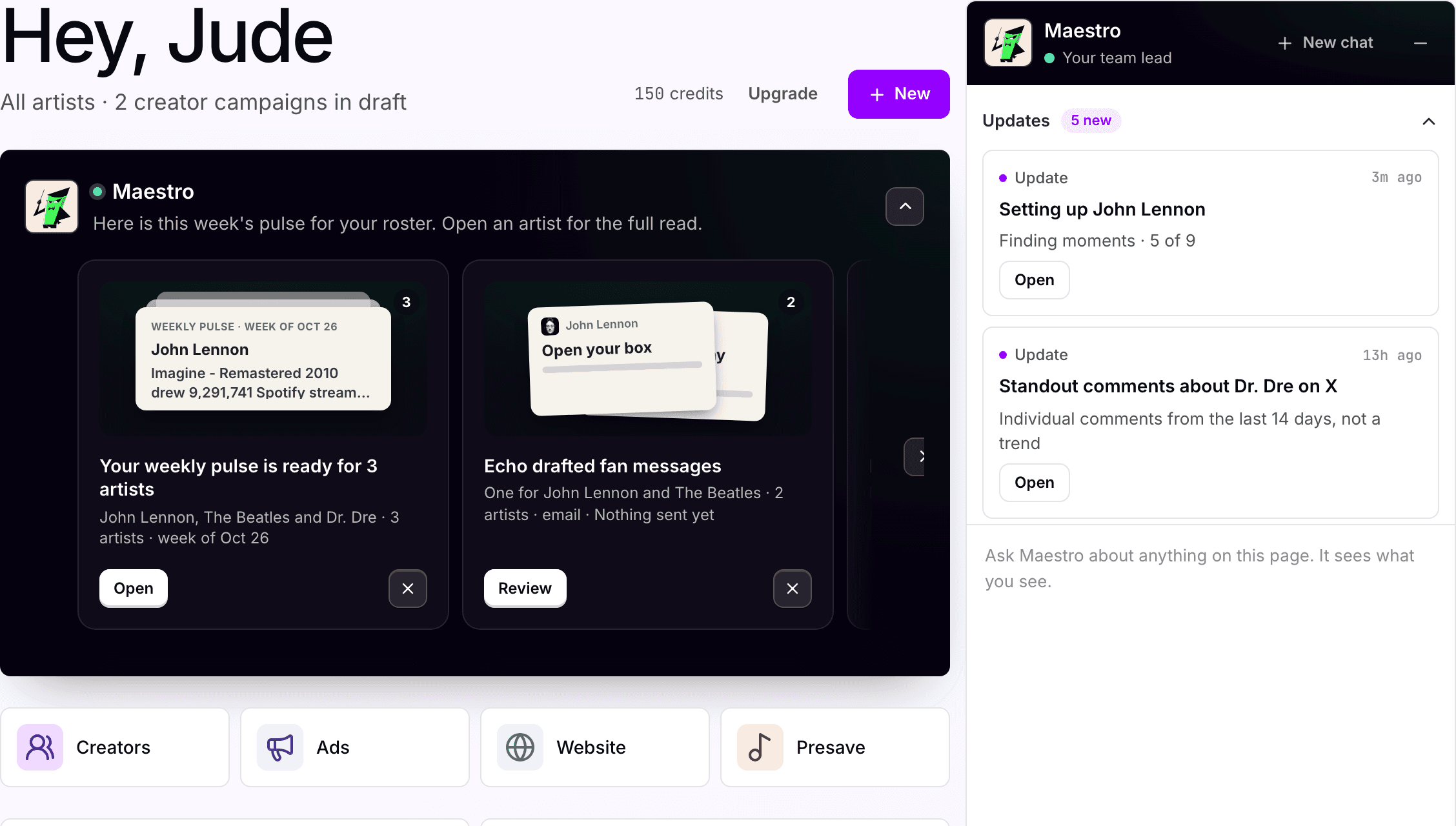
What moved overnight,
before anyone opens a dashboard.
A pulse per artist on Home each day: what moved, what matters, what is worth doing. One read across the roster instead of five logins per artist.
For Digital managers · Label marketing teams · Management companies
Where it starts
Five logins per artist. One read per morning.
Where your team starts
Several artists, several dashboards, every morning.
Someone opens the streaming, social and ads dashboards for each artist every morning. Most mornings nothing changed, and someone still had to look.
What Symphony does
One pulse per artist, on Home.
Compared to yesterday and last week, so a spike and a slow build look different. Monitors alert you when a signal you named crosses a threshold.
What your team reviews
What to act on, and what to ignore.
The pulse is a read, not an action. When a line deserves work, your team picks it up and approves it as usual.
How your team starts it
Nothing. It is there when you log in.
The pulse is waiting on Home. Reply in the side panel to go deeper, or ask Maestro to set a monitor and review it before it goes live.
Hands-on, in the workspace
- 01Open Home: each artist's pulse and what changed.
- 02Open an update to see its sources.
- 03Ask Maestro for a monitor on a chart, social or venue signal.
- 04Review the monitor before it goes live.
Next time
Tell Maestro which lines matter and he keeps that for the next pulse.Or brief Maestro

Maestro
Planning and coordination
What Symphony does
One read. Every connected platform.
01
Reads every connected platform, daily
Streams, creates, followers, fan list and campaigns, compared to yesterday and last week.
02
Finds the one thing
The line that actually changed and what is worth acting on, with the source linked.
03
Tells your team before anyone asks
Pulse, monitor alerts and automations surface on Home and in Activity. Nobody has to remember to check.
In the workspace
The screen.
Home
Every artist your team supports, on one screen
What is live for each artist, what changed, and what Maestro is pulling this week. Apple Corps has two artists and no campaigns yet, so the first pulse is on its way.
What your team gets back
A read per artist, and a thread you can pull.
Every line links to its source: the song, the post, the campaign. Reply to go deeper, or ask for a weekly summary by email.

AI support
Maestro, planning and coordination.
Maestro writes the pulse from Catalog, Socials and Ads and brings in the right assistant when a line needs work. Your team decides which lines get attention.
How Maestro works →Plan, and what is separate
Pro
The pulse, monitors and automations come with the Pro plan, $49 per artist per month.
Advanced
Streaming and social lines in the pulse draw on Catalog and Socials, which are on the Advanced plan. On Pro the pulse reads Ads, pages and the fan list.
Credits
Automations and monitors use credits like other assistant work. Start with one, check the output, then expand.
Home
Updates land on Home and in Activity. No separate feed to check.
Your subscription covers the software. Media spend, creator payments, extra credits and managed services are separate where they apply. Compare plans.
Next step
See it with your artists.
Tell us which artists and workflows you want to start with. We’ll shape the walkthrough around them, then talk through the setup and what it would cost.