The artist update,
without five exports.
Streaming story, fan chatter and ads report per artist, with as-of dates and sources, on request or on a weekly schedule. Your team reviews before it is forwarded.
For Digital managers · Label marketing teams · Management companies · Distributors
Where it starts
The numbers are in five places. The update is due Monday.
Where your team starts
An update due, and numbers in five places.
Streaming, social, ads and links each sit in their own dashboard. Someone cross-references them by hand before every artist call.
What Symphony does
Three reports per artist, on request or on a schedule.
A streaming story, fan chatter and an ads report per artist. Generate one now, or ask Maestro to email it weekly.
What your team reviews
The numbers, their dates, and what caused what.
Every number shows its source and date, and unconfirmed days are marked. When the evidence is thin, Maude says so instead of guessing.
How your team starts it
Generate it, or schedule it.
Pick the artist, pick the report, generate. For a recurring version, describe the cadence to Maestro and enable it from Activity.
Hands-on, in the workspace
- 01Open Reports and pick an artist.
- 02Generate the streaming story, fan chatter or ads report.
- 03Share a campaign report link from Ads.
- 04Set a weekly automation and review the first run.
Next time
Next week's report arrives with the week-over-week change already in it.Or brief Maude

Maude
Business affairs and catalog analysis
What Symphony does
Pulls the sources. Writes the draft with dates.
01
Pulls what Symphony already tracks
Catalog, Socials and Ads. Every number carries its source and as-of date.
02
Writes the draft
Plain language, the likely cause named, thin evidence called thin. One next move for your team to take or leave.
03
Repeats on the cadence you set
Daily, weekly or monthly by email. Pause or edit it from Activity.
In the workspace
The screen.
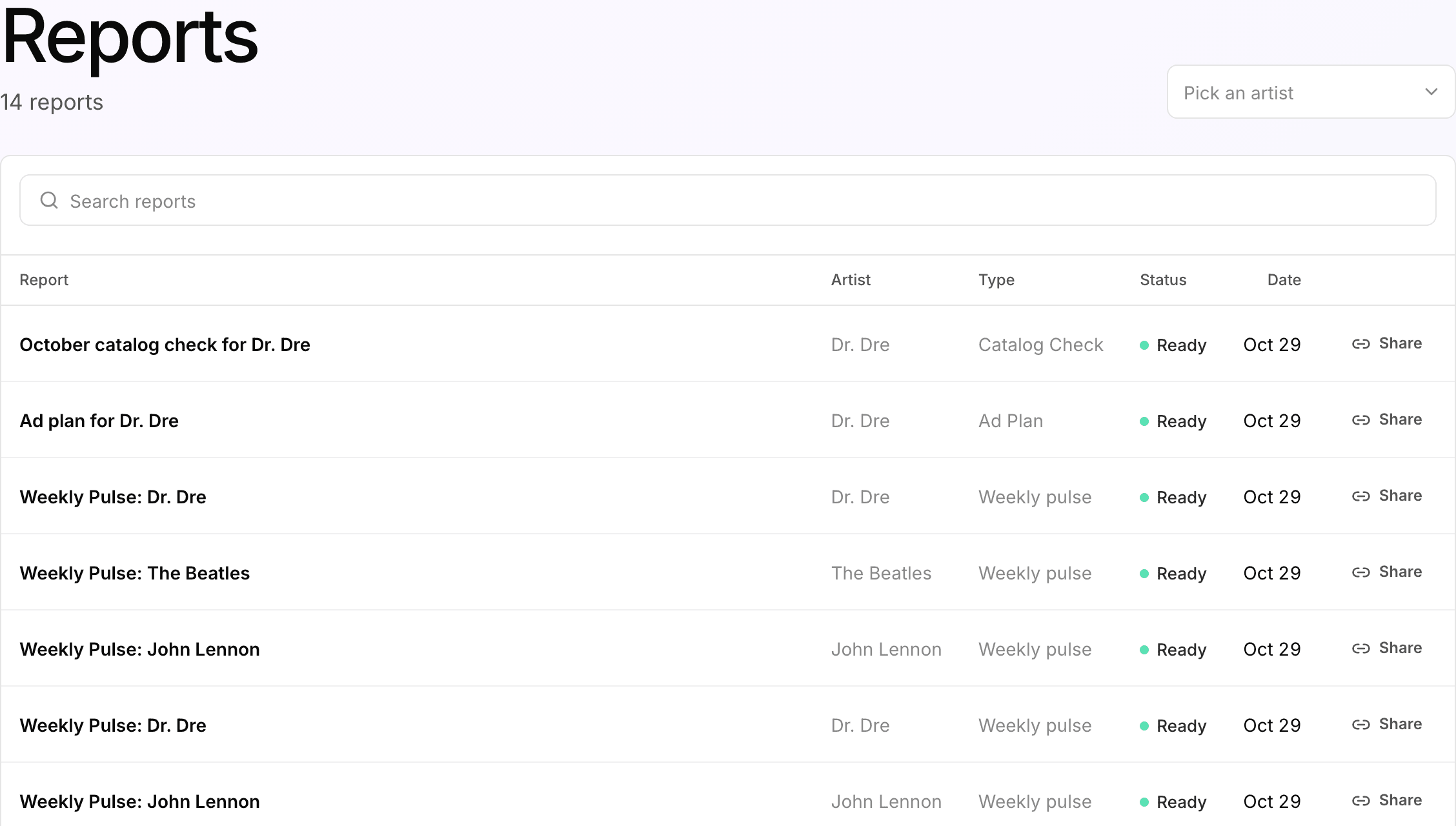
Reports
Ask for the report instead of building it
Pick an artist, then a report: what is carrying the catalog, what fans are saying, or how the ads performed. The update starts here, not from five exports.
What your team gets back
A draft the team reviews, then forwards.
A report per artist with dates and sources, a share link for campaign numbers, and a weekly email if you want one. Ad reports stop at the click, because streaming services do not share streams back with ad platforms.
AI support
Maude, business affairs and catalog analysis.
Maude writes the streaming story, Echo reads the comments and Simmy writes the ads report, each with sources shown. Your team decides what goes in the update.
How Maude works →Plan, and what is separate
Pro
Ads reports and shareable campaign report links come with the Pro plan, $49 per artist per month.
Advanced
The streaming story and fan chatter draw on Catalog and Socials, which are on the Advanced plan.
Credits
Reports and automations use credits like other assistant work. Start with one schedule, check the output, then expand.
Your subscription covers the software. Media spend, creator payments, extra credits and managed services are separate where they apply. Compare plans.
Next step
See it with your artists.
Tell us which artists and workflows you want to start with. We’ll shape the walkthrough around them, then talk through the setup and what it would cost.